Non-Technical Buyers: 10 Questions to Test a Cloud Provider’s Zero-Knowledge Claim

A zero-knowledge provider cannot decrypt your files, full stop. The guarantee rests on a simple principle: your encryption keys are generated and kept on your own device, never sent to the server that hosts your data. There is a direct consequence that people often overlook: if you lose your master password and haven’t kept a recovery key, nobody — not even the provider — can restore your files.
In short:
- The encryption key is generated and stored solely on your device and never sent to the provider, which makes recovery impossible if you lose your master password.
- The effective way to verify a zero-knowledge architecture is to check where the key is generated and confirm that support cannot recover your files without your key.
- The real benefits of zero-knowledge include maximum privacy from the provider itself, resistance to legal demands and protection against server breaches — at the cost of trade-offs such as limited search.
- Insisting on clear documentation, independent verification and full data portability is what separates a genuine commitment from a marketing claim.
- Yundera offers a private server hosted in France with decentralised storage, a zero-knowledge architecture and simple management suited to individuals and small businesses.
Table of contents
- Zero-knowledge, end-to-end encryption, encryption at rest: what’s the difference
- How client-side encryption actually works
- What zero-knowledge gives you, and what it costs you in convenience
- Ten questions to ask before you believe a “zero-knowledge” claim
- Choosing a managed private cloud server: the criteria that really matter
- Why Yundera bets on a zero-knowledge architecture
- A managed private server, with no compromise on privacy
- Sources
Zero-knowledge, end-to-end encryption, encryption at rest: what’s the difference
The term “zero-knowledge” gets thrown around a lot in cloud marketing, often mixed up with neighbouring concepts that guarantee something quite different. Understanding the distinction keeps you from paying for a promise that isn’t actually there.
In a zero-knowledge architecture, the server only ever receives blocks of already-encrypted data — sometimes called “blobs” — and has no way of decrypting them. Client-side encryption is what makes this possible: the encryption happens on your computer or your phone, before the data ever leaves the device.
Three concepts are frequently — and wrongly — conflated:
- Encryption at rest: the data is encrypted on the server’s disk, but the provider holds the key and can technically read it.
- End-to-end encryption (E2EE): the data is protected between two users who are communicating, a principle widely used in messaging, but it says nothing about what the storage provider can see on its own side.
- Zero-knowledge: nobody but you holds the key — not the provider, not anyone else, at any point, including for data kept in long-term storage.
The practical consequences show up in concrete details: a file’s metadata (its name, size, modification date) sometimes remains visible on the server side even under zero-knowledge, unless the provider has specifically encrypted those fields too. Likewise, server-side full-text search becomes impossible, since the server can’t read the content it would need to index. These small details are exactly what gives away a partial implementation.
How client-side encryption actually works
The mechanism relies on a precise chain, and every link matters if the promise is going to hold up.
Your master password is never used directly as the encryption key. It goes through a derivation function such as Argon2 or PBKDF2, which turns that password into a robust cryptographic key, computed locally on your device. Companies such as LastPass describe this local-computation model for their digital vaults: the key is never stored on their servers, it is recomputed from your password every time you log in.
Three points determine whether the implementation is serious or merely advertised:
- Where the key is generated. If it is produced server-side and then sent to the user, it isn’t zero-knowledge any more, however prominently the word appears in the sales brochure.
- What the provider can see. It should never be able to display a preview of your documents, nor offer a password recovery flow that automatically restores your files.
- The recovery policy. A genuine zero-knowledge architecture allows no “magic” reset: if you lose the key, your data stays encrypted forever, and that is what separates a real guarantee from a marketing line.
Pro tip: before you commit, log out of the service completely, then try to recover your account with no hint and no recovery key. If support manages to give you back access to your original files without you supplying a key, the architecture isn’t zero-knowledge, whatever the homepage says.
What zero-knowledge gives you, and what it costs you in convenience
Mathematical security comes at a functional price, and it’s better to know that price before signing up than after losing a feature you relied on.
The benefits are tangible:
- Genuine privacy from the provider itself: even an internal breach or a human error at the host can’t expose the contents of your files, because it never holds them in the clear.
- Resistance to legal demands: a zero-knowledge provider cannot hand readable data to an authority that demands it, for the simple reason that it doesn’t have the key.
- Protection if the server is breached: an attacker who gets into the infrastructure comes away with nothing but unusable encrypted blocks.
In exchange, functional trade-offs appear almost every time: server-side full-text search disappears, document previews are limited or absent, and real-time collaboration between several people becomes technically harder to implement. The provider also can’t help you if you forget your password, which shifts the entire backup responsibility onto you.
The good news is that these trade-offs are manageable. Keeping a printed recovery key somewhere safe, or enabling an encrypted backup mechanism that only you control, sharply reduces the risk of permanent loss without giving up the privacy guarantee.
Ten questions to ask before you believe a “zero-knowledge” claim
A short checklist is enough to expose most overstated marketing claims, without needing deep technical skills.
- Where, and on which device, is my encryption key generated?
- Does the provider hold a master key, even for maintenance purposes?
- Can support reset my password without data loss?
- Which metadata (file name, size, date) remains visible on the server side?
- Is there a technical document or white paper detailing the encryption architecture?
- Has an independent audit verified these claims?
- Can I export all of my data at any time, in an open format?
- What actually happens if I delete my account?
- Does the provider sell or analyse data, even anonymised, for advertising purposes?
- Where are the servers hosting my files physically located?
Documenting key management precisely and publishing an audit does a great deal for the credibility of a provider claiming zero-knowledge. Conversely, a complete absence of technical documentation should put you on alert, no matter how polished the marketing page is.
Choosing a managed private cloud server: the criteria that really matter
Once you have the definition and the checklist in hand, the buying decision itself remains. Not all criteria are of the same nature, and some matter more depending on your profile.
On the technical side, three things are non-negotiable: effective client-side encryption, the ability to export your data without proprietary lock-in, and documented transparency about the architecture. A provider that won’t explain where the keys are generated doesn’t deserve your trust, however slick the interface.
On the service side, other criteria weigh just as heavily:
- The quality of support for setup and maintenance, especially if you have no technical skills in-house.
- How often encrypted backups run and how reliable they are, since zero-knowledge removes the provider’s safety net.
- How clear the access control is for multiple accounts — essential as soon as a family or a small team shares the same space.
- Where the servers are located, which determines the legal framework that applies to your data.
The right choice depends mostly on how you’ll use it. A family storing photos will prioritise easy export and a simple interface for sharing albums without exposing the whole server. A freelancer hosting client documents will be looking for clear, verifiable GDPR compliance. A small team, meanwhile, will need fine-grained management of multiple accounts without losing the guarantee that nobody — not even the host — can read the shared files.
Why Yundera bets on a zero-knowledge architecture
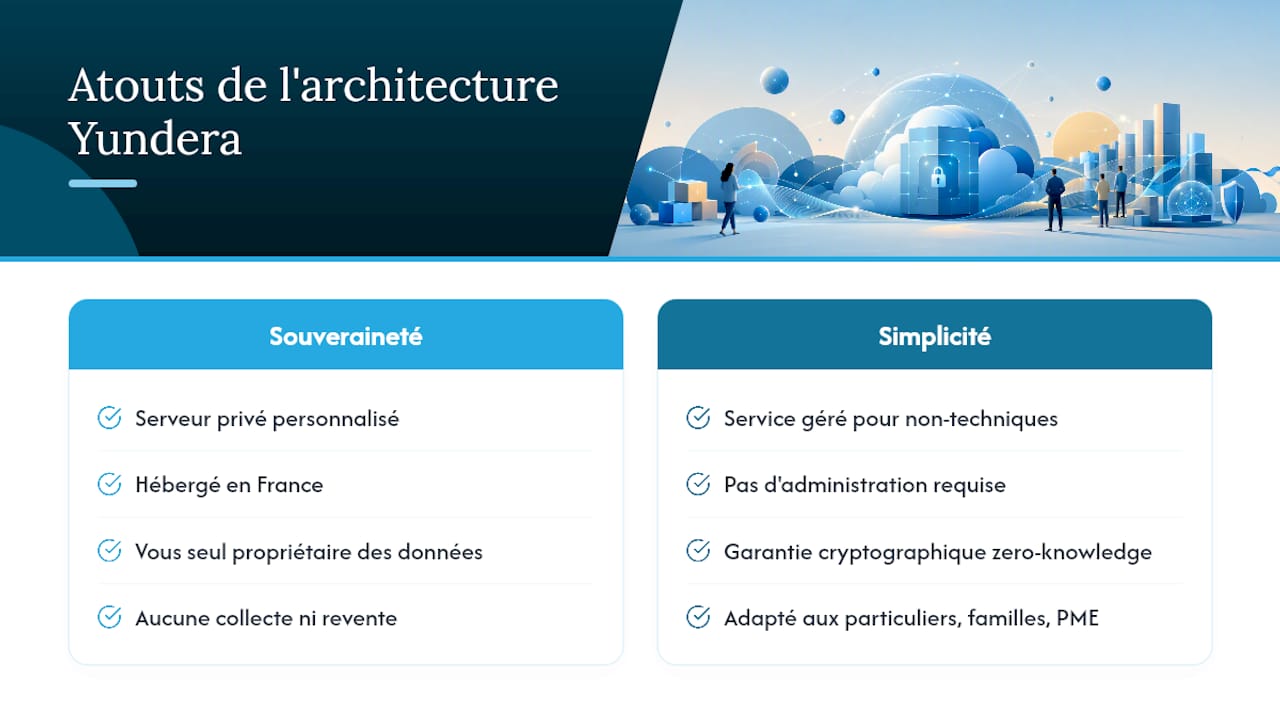
Yundera built its offering around a simple principle: a personalised private server, hosted in France, whose data remains yours alone. No collection, no resale, and export stays available at any time, with no negotiation required.
For an individual, a family or a small business without a dedicated technical team, this managed approach changes the practical picture: you keep the cryptographic guarantee of zero-knowledge without having to administer the infrastructure yourself. It’s that combination — real sovereignty plus ease of use — that’s worth testing before you hand your data to a service whose architecture you don’t understand.
— Yundera
A managed private server, with no compromise on privacy
Yundera is the alternative to a mainstream cloud when you want the mathematical guarantee that nobody, provider included, can look at your files — while avoiding the DIY self-hosting route that demands serious technical skills.
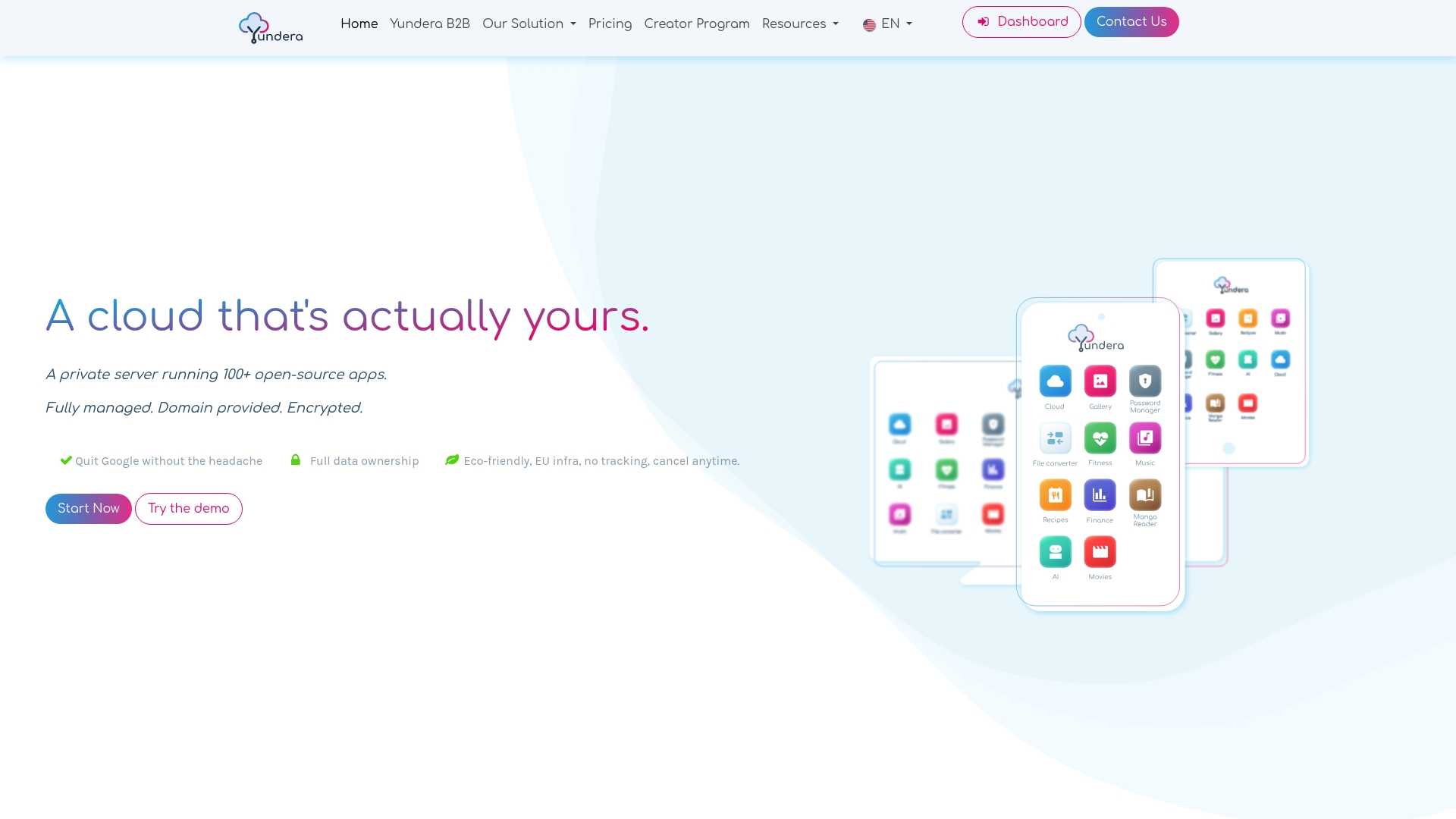
In practice, Yundera provides a personalised private server, hosted in France, with more than a hundred open-source applications already installed: file storage, photo gallery, website hosting, collaboration tools, password manager. You reach all of it from your own domain name, wherever you are, and you can export all of your data at any moment, no conditions attached.
This approach suits families centralising their photos, freelancers hosting sensitive documents, and small organisations that want a sovereign cloud without hiring a system administrator. To gauge whether it fits your use case, take a look at the page for privacy-conscious individuals and request a demo tailored to your situation.
Sources
- Client-side encryption — Wikipedia
- Zero-knowledge in the cloud: what it actually means (2026)
- Zero-knowledge encryption: a simple, clear guide — Vaultaire
Non-Technical Buyers: 10 Questions to Test a Cloud Provider's Zero-Knowledge Claim