Slack Alternatives: Which Team Messaging Platform Should You Choose in 2026?

If you want to replace Slack and stay in control of your conversations, three open source options deserve a close look: Mattermost, Zulip and a solution built on the Matrix protocol. The right choice depends on the size of your team, the limits of each free edition and what your Slack plan actually lets you export. Check that last point first, because it determines what you can take with you.
Key takeaways:
- On Slack's free plan, only the last 90 days of messages and files remain accessible.
- Since August 26, 2024, Slack has been gradually deleting content older than one year from free workspaces, with no way to restore it.
- On the Free and Pro plans, the standard export covers public channels; private channels and direct messages require a request to Slack, which is granted only in limited cases.
- Free doesn't mean unlimited: Mattermost's Entry edition displays only 10,000 channel messages, and Mattermost positions Team Edition for small teams without sensitive workloads.
- Open source software alone doesn't make you compliant: any transfer of data outside the EU must be mapped, legally grounded and reassessed.
Table of Contents
- Why look for a Slack alternative?
- What can you actually export from Slack?
- What criteria should you use to compare team messaging platforms?
- Is Mattermost really free?
- Is Zulip a good fit for taking over a Slack workspace?
- Matrix and Tchap: a model for small businesses to follow?
- How do you migrate from Slack without losing your history?
- What does GDPR change when your messaging is hosted outside the EU?
- Yundera: a managed private server to take back control of your tools
- What mistakes should you avoid when leaving Slack?
- Sources
- Frequently Asked Questions
Why look for a Slack alternative?
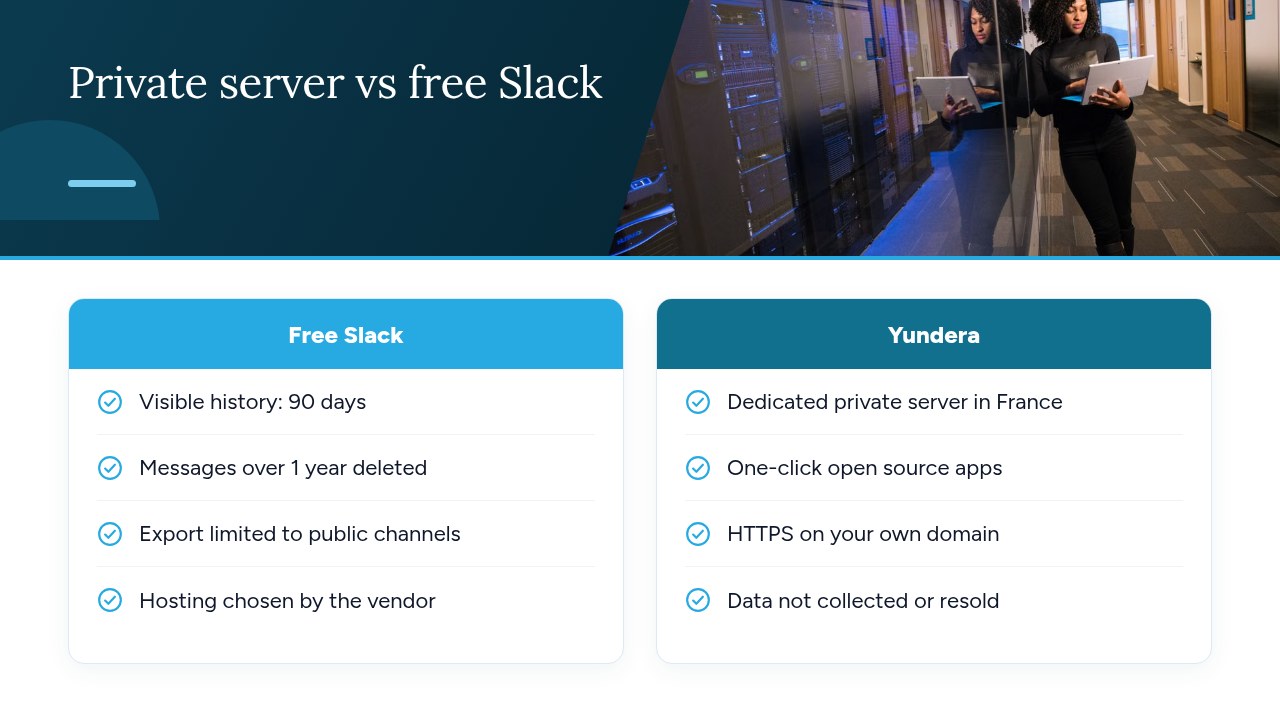
The main reason to look for a Slack alternative is the retention of your conversations: on the free plan, access to history is limited and older content eventually disappears. For a team, this is a very practical concern, because the decisions, files and technical answers shared in channels often make up its working memory.
Slack sets out these rules on its page about history on free workspaces:
- Access limited to 90 days: only messages and files from the last 90 days remain fully accessible.
- Rolling deletion after one year: since August 26, 2024, Slack has been gradually deleting messages and files older than one year.
- No restoration: once deleted, this content can no longer be recovered.
- 275 days tied to a subscription: content between 90 days and one year old only becomes accessible again if you upgrade to a paid plan.
In other words, access to part of your history depends on a subscription, and time is working against you: every day you wait, older conversations can fall out of the retention window. If those conversations matter to your business, it's better to decide early, before you lose content you assumed was safe.
Pro tip: identify now the channels whose history really matters to your team, then note the date of their oldest conversations.
What can you actually export from Slack?
What you can export from Slack depends directly on your plan: public channels are available on every plan, but private channels and direct messages can only be exported on a self-serve basis on the highest tiers. Slack's official guide to its import and export tools distinguishes between these situations:
- Free and Pro: owners and admins can export public channels. For private channels and direct messages, the workspace owner must submit a request to Slack, which is accepted only in limited cases.
- Business+: a self-serve tool lets the workspace owner export all channels and conversations, including private channels and direct messages.
- Enterprise: the same type of tool is available to the organization owner.
Watch out for conflicting information. Zulip's documentation states that only Business+ and Enterprise Grid workspaces can export private channels and direct messages, based on a confirmation from Slack support dating from August 2022. This wording is more restrictive than Slack's guide, which allows for a request on Free and Pro. To settle the question, refer to Slack's page.
Pro tip: before canceling or changing plans, run a trial export and check what it actually contains. If private channels are essential, submit your request to Slack well before the last minute.
What criteria should you use to compare team messaging platforms?
To compare team messaging platforms, start from eight verifiable criteria, because a listed feature tells you nothing about the real limits of the edition you'll be using. This framework will then be used to examine Mattermost, Zulip and Matrix-based solutions:
- Number of users: compare your current and projected headcount with each edition's thresholds. Mattermost's documentation, for example, differentiates its editions on this basis.
- Free edition limits: note the caps and the level of support included.
- SSO: check that single sign-on is included in the edition you're targeting, and not only in a higher tier.
- History search: make sure older messages remain viewable and findable, not merely stored.
- Import from Slack: list what carries over and what doesn't. Zulip's help center, for example, details this scope.
- Hosting: identify the hosting location, the operator and any transfers outside the EU.
- Operational workload: plan who will handle updates, backups and monitoring.
- License: read the terms for the exact edition you'll deploy, rather than relying on the “open source” label alone.
Pro tip: sort these criteria into two columns, “deal-breaker” and “nice to have”, before looking at any products: you'll avoid choosing based on an attractive but secondary feature.
Is Mattermost really free?
Mattermost is free in two of its self-hosted editions, but with limits that can quickly become a burden for a growing team or for sensitive use cases. Its documentation on editions and offerings helps you place each option:
- Team Edition (free): self-hosted, it's aimed at small teams, enthusiasts and personal use, with fewer than 250 activated users and no need for SSO, a feature being phased out of this edition. Mattermost doesn't recommend it for sensitive public-sector or commercial workloads.
- Entry (free): it includes the features of Enterprise Advanced, but only 10,000 channel messages remain viewable and searchable across the entire server. Older messages stay in the database. Mattermost recommends it for teams of fewer than 50 users, as guidance rather than a hard limit, with support limited to the community.
- Professional (paid): it goes up to 250 users and offers unlimited history search.
On licensing, the same page mentions both MIT for Team Edition and AGPLv3 for the community edition, without explaining how the two fit together. The commercial editions fall under a commercial license. If this matters to you, have the terms checked for the exact version you'll deploy.
Pro tip: estimate your message volume before settling on Entry: an active team can reach the viewing limit much sooner than it expects.
Is Zulip a good fit for taking over a Slack workspace?
Yes, Zulip is a good fit for taking over a Slack workspace if you can start fresh in a new organization, because its tool carries over most of your content, but not your settings. Its guide to importing from Slack spells out the scope.
What carries over:
- Workspace identity: the name and logo.
- Messages: the history, with attachments and emoji reactions.
- Users: names, email addresses, roles, avatars, time zones and custom profile fields.
- Channels: channels and each user's subscriptions.
- Custom emoji: these migrate as well.
What doesn't carry over:
- Settings: Slack exports neither workspace settings nor user settings, so you'll need to configure them again.
- Passwords: these are never exported, so you'll need to plan how accounts will log in to the new platform.
- Edit history: the successive versions of an edited message are lost, as are messages such as “@user joined #channel”.
One last constraint: the import always creates a new Zulip organization, so you can't merge a Slack export into an existing one. And what gets imported depends on what your Slack plan lets you export.
Pro tip: run the import before opening the platform to users, then prepare a first-login procedure and a guide to the settings they'll need to redo.
Matrix and Tchap: a model for small businesses to follow?
Matrix and Tchap are a useful signal for a small business, but not a model to copy as is: the French government's choice shows the protocol's credibility without providing a turnkey solution for a small organization. Solutions Numériques sums up the key points of this public commitment:
- A common foundation: Matrix is the protocol that powers Tchap.
- Reference status: a government circular makes Tchap the reference secure messaging service across the public sector.
- A role in governance: DINUM formalized its partnership with the Matrix Foundation in late October 2025 and holds a seat on its board of directors.
- European cooperation: it also works with Germany, Sweden and Luxembourg.
For a small business, the main lesson is about method: the government doesn't just use a tool, it invests in a standard and influences how it evolves. A small company doesn't have those resources.
Matrix also remains a protocol, not a ready-to-use product. Choosing it doesn't spare you from selecting a server, applications and an operating model, then comparing them using the framework above. Nor does the Tchap example mean a company can adopt it: here, it sits within a public-sector context.
Pro tip: always evaluate the complete service you'll deploy, not just the protocol: that's what will determine the administrative workload and your teams' experience.
How do you migrate from Slack without losing your history?
To migrate from Slack without losing your history, first check what your plan lets you export, then validate the import in a test environment before moving your teams. The process comes down to four steps:
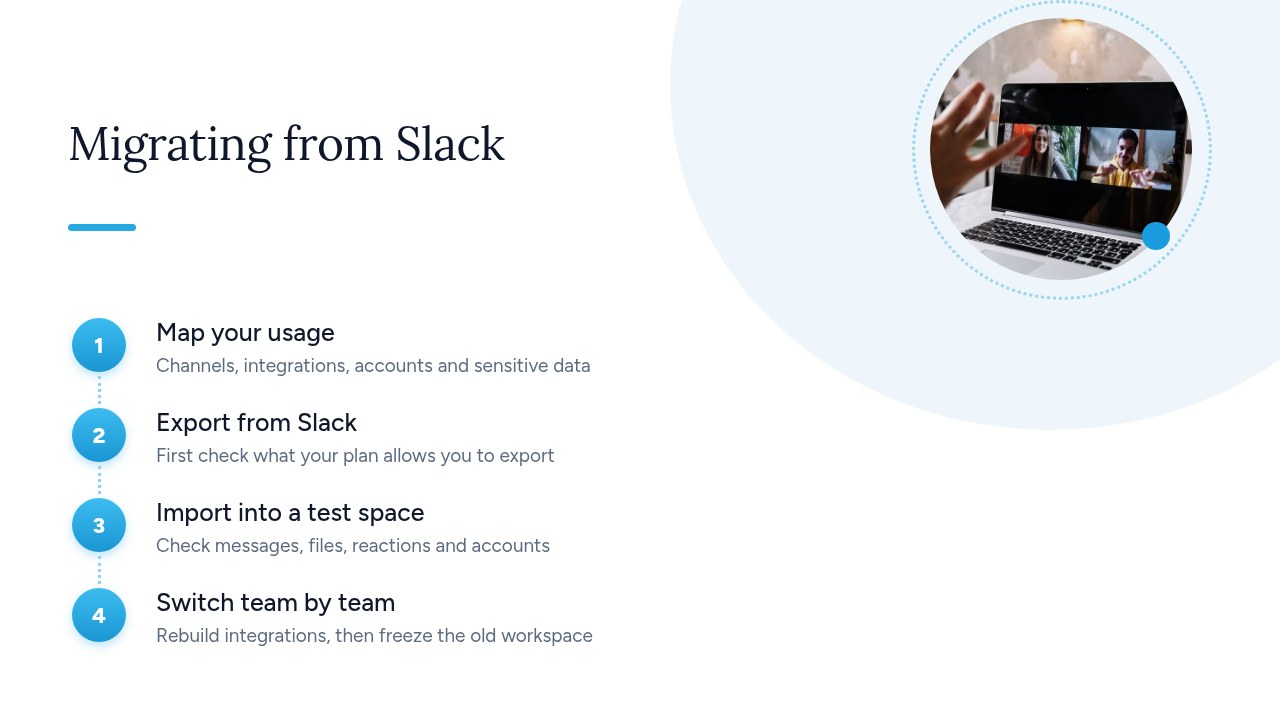
- Take stock of usage: list the channels to keep, integrations, accounts and sensitive data, and assign an owner to each item.
- Export from Slack: check the available scope in Slack's import and export guide. If you need private channels and direct messages on a Free or Pro plan, plan ahead for the request to Slack.
- Import into a test environment: check a sample of messages, files, reactions and accounts, choosing both old and very active channels.
- Switch over team by team: start with a pilot team, recreate the integrations you need, then freeze the old workspace so conversations don't get scattered across two tools.
Two points are worth anticipating if you choose Zulip. According to its import guide, Slack exports neither workspace settings nor user settings, so plan to redo them. And each import creates a new organization, so an export can't be used to add to a workspace already in service.
Pro tip: keep the export archive somewhere safe until the migration is finished, and have the test sample validated by the teams who actually know those conversations.
What does GDPR change when your messaging is hosted outside the EU?
Messaging hosted outside the EU isn't prohibited in principle, but it does require you to verify that each transfer of personal data has a legal basis and remains protected in the destination country. The method proposed by CNIL, the French data protection authority, for data controllers provides a working framework:
- Map your transfers: list those that pass through your tools and contracts, including your messaging platform.
- Identify the legal instrument: determine what each transfer relies on, for example standard contractual clauses approved by the European Commission or binding corporate rules (BCRs).
- Assess the third country's law: check that this instrument remains effective given the legislation of the country concerned.
- Decide: continue the transfer, add new safeguards or supplementary measures if needed, or end transfers that have no legal basis.
- Keep an up-to-date record: document your transfers and review them when your situation changes.
This page does call for two caveats. It's dated June 23, 2021, and its method is provided for guidance only. It also doesn't cover the Data Privacy Framework, the transfer framework between the EU and the United States: for that, you'll need to consult more recent texts and, if necessary, your DPO or legal counsel.
Pro tip: ask your provider for the list of its subprocessors and the countries involved: without it, your mapping will remain incomplete.
Yundera: a managed private server to take back control of your tools
If the operational workload of self-hosting is holding you back, Yundera offers a practical option: a managed private server, the Personal Cloud Server, hosted in France and dedicated to a single customer. Yundera handles the management and no technical skills are required. Your data stays on your own server; Yundera doesn't collect it or resell it.
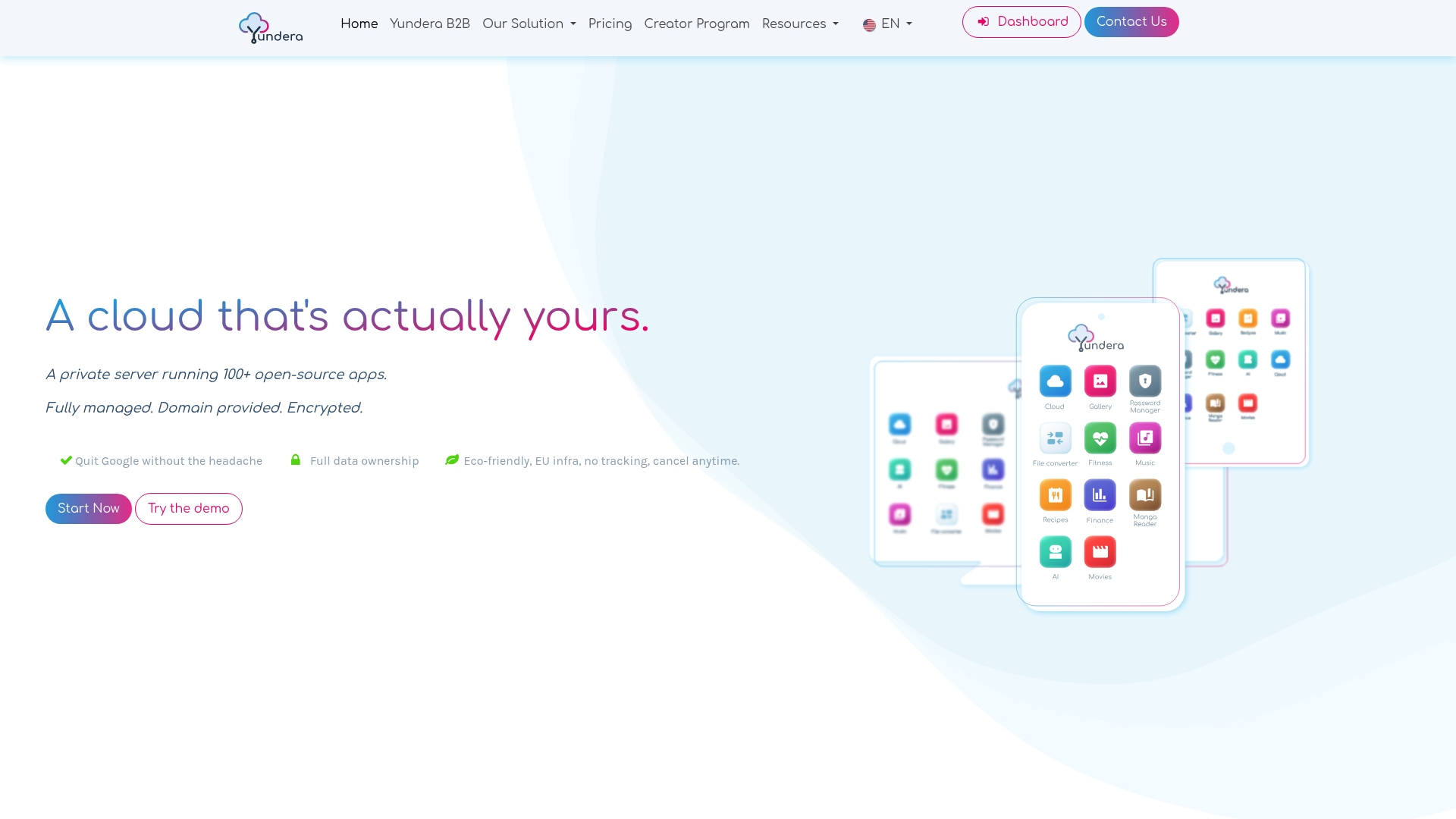
The server comes with ready-to-use open source applications, installed in one click from an app store: file storage, photos, website hosting, office tools and more. Each application is accessible over HTTPS on your own domain, with no static IP, no port forwarding and no manual certificate setup. Before choosing this option for your team messaging, check in the app store that the application you want is available. To widen the comparison to tools more focused on meetings and collaboration, see also our article on Microsoft Teams alternatives.
For plans and pricing, visit the Yundera private servers page.
What mistakes should you avoid when leaving Slack?
The costliest mistake is canceling or changing plans before checking what you can actually export. Waiting is just as risky on a free workspace, where content older than one year is deleted with no way to restore it. Also avoid choosing a free edition without reading its limits, or forgetting that settings and passwords don't carry over when importing into Zulip.
Two misconceptions then cause longer-term problems: believing that open source software automatically makes you GDPR compliant, and underestimating the operational workload, from updates to backups. To limit these risks, first test the chosen solution with a pilot team on real use cases. Fix whatever gets in the way, then roll it out only once history, access and support arrangements have been validated.
— Yundera
Sources
- Updates to message and file history on free workspaces | Slack
- Guide to Slack import and export tools | Slack
- Editions and Offerings | Mattermost Documentation
- Import from Slack | Zulip help center
- Data controllers: how to identify and handle data transfers outside the EU | CNIL
- Tchap and Matrix: DINUM reviews six months of cooperation with the Foundation
Frequently Asked Questions
What is the best open source alternative to Slack?
There's no universally best option: the choice depends on your headcount, your needs and your ability to run the platform. Zulip is worth considering for taking over a Slack workspace in a new organization, while Mattermost requires a close comparison of its editions' limits. Matrix, for its part, is a protocol, to be evaluated through the complete service you'll deploy.
Is there a French alternative to Slack?
Yes, some comparisons mention Twake, for example, presented as a French collaboration suite: check its scope, terms and hosting directly with the vendor. Tchap is the reference secure messaging service for the public sector, but that doesn't make it an option for a private company.
Can you export private Slack messages on the free plan?
Not on a self-serve basis: the free plan's standard export covers public channels. According to Slack's official guide, the workspace owner can request an export of private channels and direct messages, but only in limited cases.
Is Slack GDPR compliant?
This can't be answered with a simple yes or no, because compliance also depends on your usage, your contract and the data being exchanged. If your messaging involves transfers outside the EU, CNIL's guidance method helps you map them, identify their legal basis and assess the law of the country concerned. This page dates from 2021: for the Data Privacy Framework, consult more recent texts or your DPO.
How long does Slack keep messages on the free plan?
Slack gives full access to the last 90 days of messages and files, and content between 90 days and one year old only becomes accessible again with a paid plan. Since August 26, 2024, Slack has been gradually deleting content older than one year, with no way to restore it.
Slack Alternatives: Which Team Messaging Platform Should You Choose in 2026?