Yundera : A server with an App Store
Having your private cloud server is your own digital space, running on a server you control. Not a service you rent. Not an account owned by a big platform. A server, with apps you choose, running on your terms. With Yundera, this server is already set up for you. No hardware. No complex admin. Just log in and start.
The Appstore provides an app listing that has all available Apps, maintained and updated by our team.
If you are already a self-hoster, with us, forget about all the updates that can break your apps, we do it for you!
If you're new to self hosting, with us, you can be sure that your apps are maintained up to date.
Where and how do you start?
When you open your Yundera server, you land on a single interface. This interface is the control center of your private cloud. From here, you install, manage, and use open source apps. Each app runs on your server, with your data, under your rules.
No tracking. No resale of data. No hidden lock in.
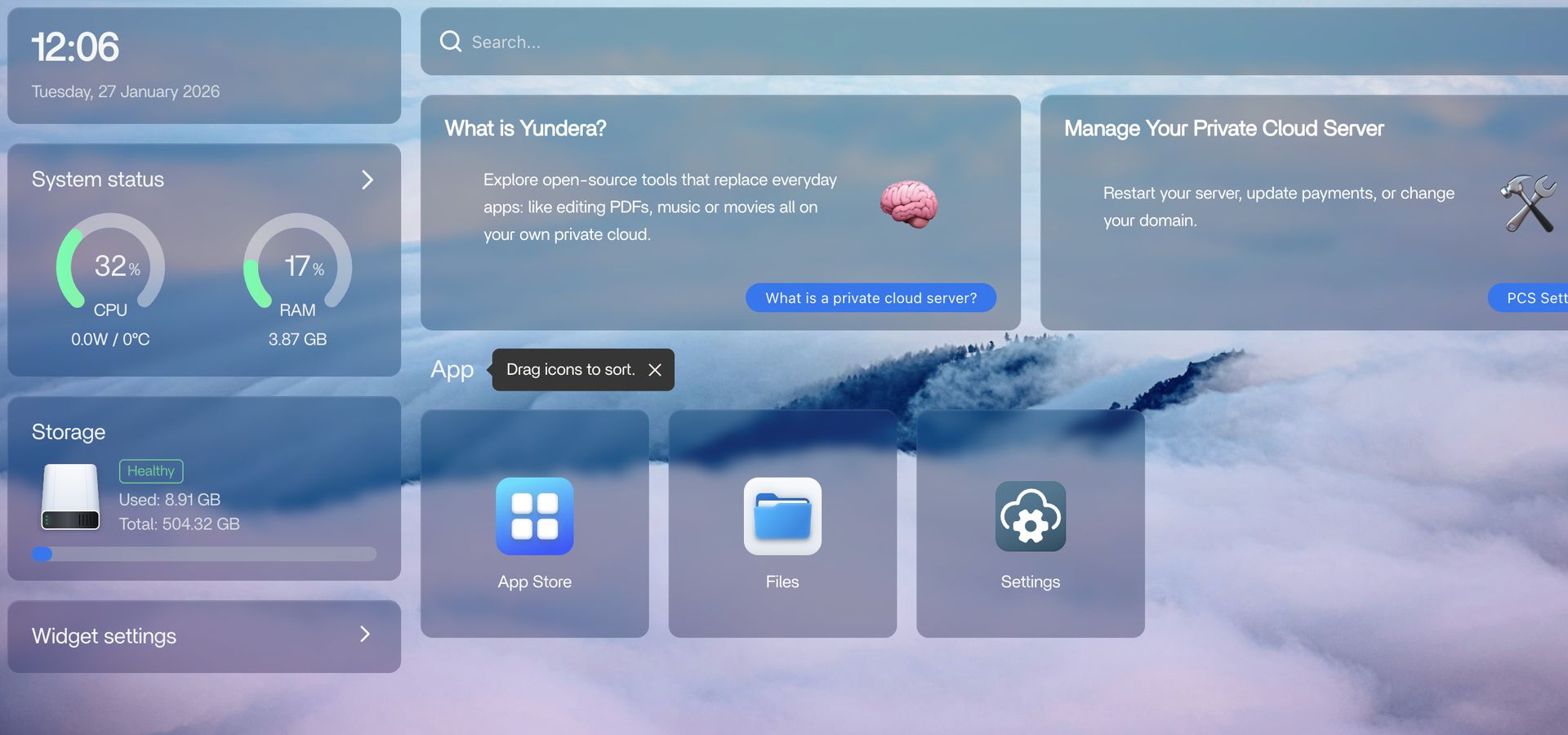
The 3 pre installed apps
To make things simple, your server comes with three essential apps already installed.
1. App Store
The App Store is where everything starts. It contains open source apps that we have: Pre configured, Tested, Validated to work out of the box.
All apps are open source, meaning: No license fees, no usage limits hidden behind paywalls, different apps for different needs You can install apps for:
- Personal cloud storage
- Photos and videos
- Music
- Websites
-
Convert PDFs or Convert 1000+ file formats using tools like ConvertX
- VPN
- Automation, Media servers, And much more
You can see concrete examples of how these apps replace everyday tools here: https://yundera.com/blog/tutorial-1/your-digital-life-in-one-place-30
Need more apps?
If the official App Store is not enough, you can enable an experimental App Store. This gives you access to many more community apps, with one important difference:
- Some apps may be less stable
- Some require basic troubleshooting
It is optional, and designed for advanced users. Learn how it works here: https://yundera.com/blog/tutorial-1/add-more-apps-to-your-yundera-server-pcs-33
2. Files
The Files app lets you browse and manage everything stored on your server. Think of it as:
- Your file explorer
- Your cloud storage
- Your central place for documents, photos, videos, backups
Files are stored on your private cloud server, not on a third party platform.
3. Settings
The Settings app is where you manage the server itself. From there you can:
- Check server health
- Update the system
- Change your server domain
- Manage technical parameters
You do not need to be a system administrator. Yundera handles the complexity in the background.
The best way to start
The simplest way to begin is also the best one:
- Open the App Store
- Install one or two apps you actually need
- Start using them
No migration plan required. No big decision upfront. Your private cloud grows with you.
That is the idea behind a private cloud server with Yundera.
What is Yundera?