NAS Admin: Encrypted Folders, Keys, Recovery, and Managed Private Servers
An encrypted shared folder stays inaccessible without its decryption key, full stop. On a NAS, the top priority when facing a locked folder isn't digging through network settings or reinstalling anything — it's mounting the folder by entering the passphrase or importing the matching key file, or restoring it from a key backup if the original is gone. Without that key, no procedure will bring the data back.
In short:
- Decrypting an encrypted shared folder absolutely requires the decryption key — without it, the data stays out of reach.
- Creating, exporting, and regularly backing up encryption keys is essential to avoid permanent data loss.
- Mounting encrypted folders manually remains the safer choice in sensitive environments, while automatic mounting simplifies management but increases exposure.
- Proper key management must be independent of where the data lives, and documenting rotations gives you better operational security.
- Handing key management to a managed private server can significantly reduce human risk and simplify compliance for a small business.
Table of Contents
- How to unlock an encrypted shared folder on your NAS
- Managing encryption keys: creation, export, import, and rotation
- Automatic or manual mounting: which is right for your NAS?
- Who can actually decrypt an encrypted shared folder?
- What to do when the key is lost or the folder refuses to mount
- Why handing management to a managed private server changes things for a team
- Strengthening the confidentiality of your encrypted shared folders
- Comparing encrypted shared folder solutions by use case
- Collaborating confidently on encrypted folders: temporary access and auditing
- Optimizing NAS performance with active encrypted folders
- What most NAS encryption guides forget to mention
- Entrusting your encrypted folders to a managed private server
- Further reading and technical resources cited
- Sources
How to unlock an encrypted shared folder on your NAS
Before hunting for a complicated fix, start with the most obvious place: your NAS control panel. That's where everything happens, from locating the folder to confirming your colleagues can actually reach it.
- Locate the encrypted folder in the control panel, usually under the "Shared Folder" or "File Manager" section. An encrypted folder almost always carries a padlock icon that sets it apart from regular folders.
- Check its mount status: an "unmounted" folder is invisible and inaccessible to every user, even those holding standard permissions. A "mounted" folder shows up normally in the network browser.
- Mount it manually by entering the encryption password or importing the key file you exported earlier. On most graphical interfaces, a "Mount" button opens an input dialog; some more technical environments also accept a command line to automate this step across multiple volumes.
- Enable or disable automatic mounting at startup according to your security policy — a point we cover in detail further down.
- Test access with a standard user account to confirm permissions are applied correctly after mounting.
Pro tip: After every manual mount, open and close a test file in the folder before telling your users it's available. A successful mount doesn't always mean permissions propagated correctly.
A folder left unmounted during scheduled maintenance won't automatically come back up in some environments. Always check the status after a NAS reboot.
Managing encryption keys: creation, export, import, and rotation
The key is the most fragile part of the whole setup. A well-maintained key manager is the difference between a minor incident and permanent data loss.
- Create a dedicated key store instead of scattering keys across isolated files on an admin's desktop.
- Export every key without exception to encrypted external media as soon as it's created — never as an afterthought.
- Import the key during a migration to a new NAS or a new enclosure: without that import, the encrypted folder stays unreadable even if the physical data is perfectly intact.
- Schedule key rotation at regular intervals rather than reacting to an incident, and test each new key on a test folder before rolling it out to production.
- Revoke old keys only after confirming the new one works across every affected machine, to avoid a blanket loss of access.
- Store keys off the NAS itself: a physical safe, a hardware security module (HSM), or an encrypted USB drive kept in a separate location.
Pro tip: Record the date and reason for every rotation in a log kept separate from the key store. During an audit or an incident, that traceability is often worth more than the key itself.
Nextcloud illustrates this logic well with its end-to-end encryption, where the server itself remains unable to read protected files, and where an administrative recovery key limits the risk of a total lockout.
Automatic or manual mounting: which is right for your NAS?
Automatic mounting at startup solves a genuine convenience problem, but it shifts the risk rather than removing it. If the key stays stored locally on the NAS to make that automatic mount possible, physical access or a system compromise is enough to expose the protected data.
- Go with manual mounting in sensitive environments: financial data, HR files, documents subject to heightened confidentiality requirements.
- Allow automatic mounting on less critical volumes, where availability matters more than maximum protection.
- Eject the key store once startup finishes if you're using automation, rather than leaving it mounted permanently.
- Anticipate the impact on backups: a folder that's unmounted when a scheduled job runs won't be included in the backup, which can create a false sense of security.
Remote access complicates this equation further, since a user connecting from outside the local network depends entirely on the mount status at the moment they connect.
Who can actually decrypt an encrypted shared folder?
A common misconception among NAS admins is that standard file permissions are enough to grant access to an encrypted folder. They aren't: cryptographic rights are a separate layer, and a user can hold full read and write permissions on a folder without possessing the key needed to decrypt it.
- Adding a collaborator often triggers an automatic re-encryption of their access as soon as their public key is registered in the system, depending on the solution you're using.
- Third-party sync services like SharePoint or Dropbox don't natively handle this kind of encryption, as the Stormshield Data Team documentation points out — it encrypts and decrypts transparently for authorized users without any manual key exchange.
- To delegate access without exposing the master key, favor per-user individual keys over a single key shared across the whole team.
What to do when the key is lost or the folder refuses to mount
When a folder won't mount, the first step is to check the system logs and the NAS error messages: they usually tell you whether the problem is a corrupted key, a wrong password, or a failure in the key store itself.
- Check the logs to pin down the exact nature of the error before touching anything else.
- Import the backup key kept off-site, if one exists.
- Use the system recovery key when it was configured in advance — an option Nextcloud offers for end-to-end encrypted folders, among others.
- Accept that the loss is permanent if none of these options is available: the data becomes unrecoverable, with no exceptions.
TerraMaster notes that losing the key file or the master password often makes any recovery impossible, which makes regular key backups non-negotiable. A quarterly restore drill costs a few minutes; it saves you hours of panic the day your primary key store fails.
Why handing management to a managed private server changes things for a team
A managed private server like the one Yundera offers takes on most of this operational complexity: secure key export, scheduled rotation, off-site backup, without you having to document every step yourself. For a small organization with no dedicated sysadmin, or a team already stretched thin by other priorities, that delegation sharply reduces human risk — still the most common cause of key loss. Yundera hosts this infrastructure in France and guarantees you can export your data at any time, which keeps final control in your hands even when day-to-day management is delegated.
Strengthening the confidentiality of your encrypted shared folders
The robustness of an encrypted shared folder rarely comes down to the algorithm: most breaches stem from poor operational hygiene around the key and access rights.
A master password reused across multiple systems is the most common weak point. Choose a long, unique passphrase for each key store, and change it as soon as someone leaves the team. Two-factor authentication on the NAS admin account adds another barrier that considerably slows down an intrusion attempt, even when the attacker already knows the password.
The transparent encryption offered by solutions like Stormshield Data Team makes life easier for authorized users while automatically blocking unauthorized ones, which reduces the temptation to work around the rules to save time. For a one-off encrypted file transfer to someone with no NAS access, zero-knowledge services like Internxt Send save you from creating a temporary account or weakening your existing access policy.
Finally, always keep key storage separate from data storage. Keeping both on the same physical volume cancels out much of the point of encryption in the event of hardware theft.
Comparing encrypted shared folder solutions by use case
Needs vary widely between a company protecting internal files around the clock and an individual occasionally sending a sensitive file to a third party.
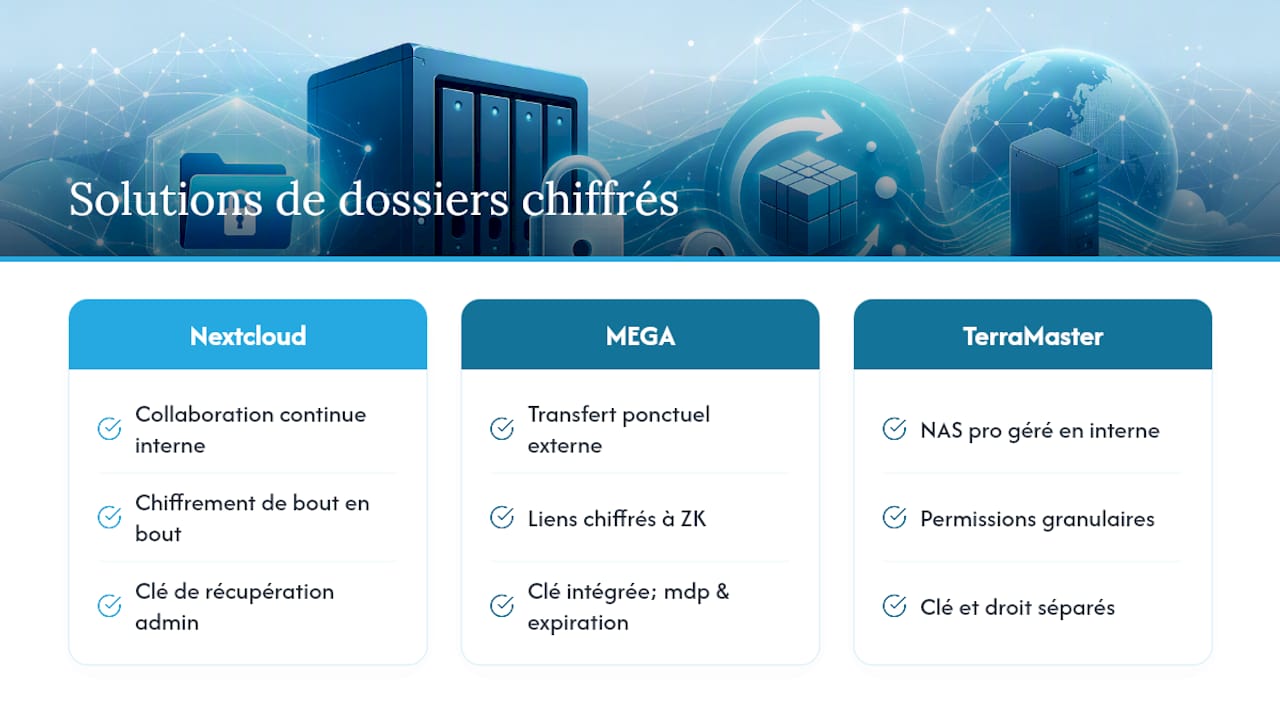
For ongoing internal collaboration, a solution like Nextcloud with its end-to-end encryption is a particularly good fit: the server stays unable to read protected files, and an administrative recovery key prevents an unexpected departure from locking up an entire department.
For a one-off transfer to an external recipient with no NAS access, the zero-knowledge encrypted links offered by MEGA are a practical alternative: the link can embed the decryption key, with an optional password and expiration date.
For a professional NAS managed in-house, the granular permission management mechanisms TerraMaster describes remain the benchmark: they're a reminder that the key and the access right are two distinct layers to administer separately. None of these approaches rules out the others; many environments combine permanent internal encryption with a one-off transfer tool for external exchanges.
Collaborating confidently on encrypted folders: temporary access and auditing
Granting permanent access to every new collaborator always ends up producing a permissions list that's impossible to audit seriously. Prefer temporary access tied to a project's actual duration, revoked automatically on a set date rather than "on request."
Keep a log of key rotations and collaborator additions separate from the key store itself: during an internal review or an incident, that traceability lets you reconstruct who had access to what and when. For teams without the internal resources to formalize these procedures, a digital security checklist for small-business leaders offers a concrete starting point for structuring these audits without dedicating an entire department to them.
A simple quarterly audit that checks who still holds an active key and why is enough to eliminate most of the ghost access that lingers after a team change.
Optimizing NAS performance with active encrypted folders
Encryption consumes CPU resources on every read and write, a cost that's often underestimated on entry-level NAS hardware. On volumes with heavy concurrent traffic, that extra load can noticeably slow transfers, especially during large backup operations.
Limit the number of simultaneously mounted encrypted folders to the volumes you genuinely need: an unmounted folder consumes no decryption resources at all. Schedule backup jobs outside peak hours so encryption doesn't pile onto an already strained network load. For remote access, a properly configured secure connection reduces the latency external users perceive, which matters especially when encryption is already adding processing delay.
What most NAS encryption guides forget to mention
Technical documentation often treats key management as a checkbox to tick after installation. That's the most expensive mistake we see NAS admins make: they configure encryption carefully, then neglect backing up the key itself, assuming a general system backup will cover it.
It won't. A standard backup often saves the encrypted data, not necessarily the key stored separately. So the number one priority isn't picking the right encryption algorithm — it's treating the key as an asset in its own right, with its own backup policy, its own rotation schedule, and its own audit log.
The real benefit of a managed solution isn't security per se, but the operational discipline it enforces by default — precisely where a lone admin tends to push key rotation off "until later."
— Yundera
Entrusting your encrypted folders to a managed private server
Some providers offer managed private servers, hosted locally, with plenty of preinstalled open source apps for file sharing, website hosting, or photo storage. Data export can be guaranteed at any time, with no data collection or resale.
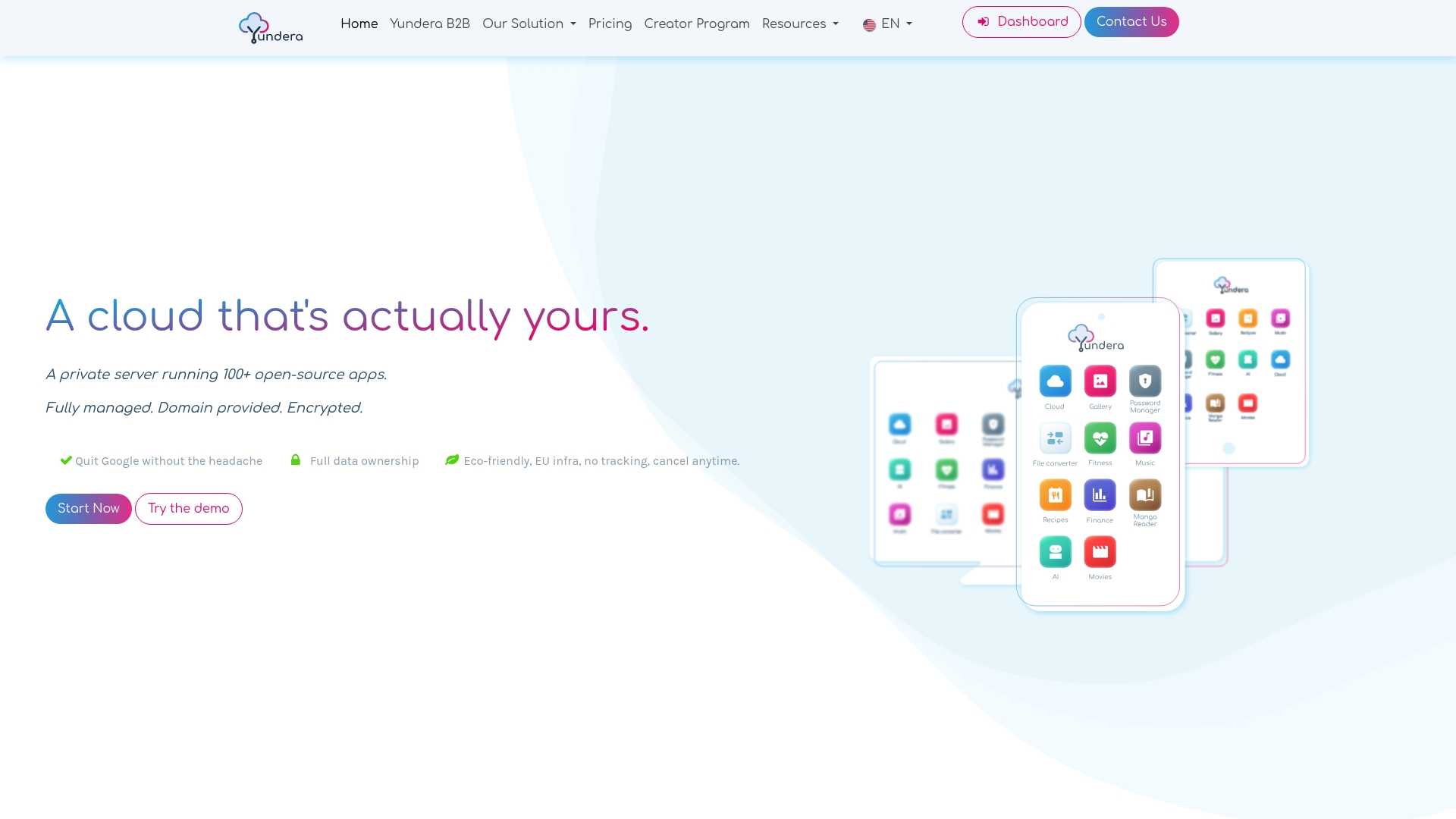
If your team spends more time documenting key rotations than working on its actual projects, delegating that management to a managed infrastructure starts to make sense, especially for a small business with no dedicated sysadmin. Yundera handles the hosting and the technical procedures while you retain full ownership of your data. Take a look at the Yundera private server overview or see how SMBs and startups cut their IT costs with this approach, to judge whether it fits your organization.
Further reading and technical resources cited
To dig deeper into the procedures covered here: Stormshield Data Team details transparent encryption in collaborative settings; Nextcloud explains end-to-end encryption and the recovery key; MEGA and Internxt cover zero-knowledge encrypted transfer; Microsoft and Samsung shed light on client-side encryption; TerraMaster documents NAS permissions and the risks of key loss.
Sources
- Stormshield Data Team — documentation
- Nextcloud — encryption
- MEGA — secure sharing
- Internxt — secure file transfer
- TerraMaster — shared folders
NAS Admin: Encrypted Folders, Keys, Recovery, and Managed Private Servers